A rechargeable solar fan can be convenient when you need one fan during a power cut. An ordinary plug-in fan can also be a sensible choice if you already have a compatible backup supply. The useful comparison is the complete setup: airflow at your seat, actual power demand, usable battery energy, charging arrangements and permitted connections. The words AC or DC alone do not tell you which option will last longer.
Separate the motor label from the power connection
“DC motor,” “DC input,” “rechargeable” and “solar” describe different things. An appliance can use more than one of these descriptions.
| Label | What it describes | What you still need to check |
|---|---|---|
| AC input | The electrical supply accepted at that input | Voltage, frequency and compatibility with the backup supply |
| DC input | A device input that accepts direct-current power | Permitted voltage range, current supply, polarity and connector |
| DC or brushless motor | The motor and its control system | The complete appliance's external input and measured power |
| Rechargeable | Energy can be stored in a rechargeable battery | Usable runtime, charging method and allowed operating modes |
| Solar charging | A compatible solar input can recharge the system | The approved panel, input limits and charging conditions |
An AC-powered appliance can contain a brushless motor. For example, Oriental Motor's EMU catalogue describes AC-input fans with built-in brushless motors. These are industrial examples illustrating the distinction, not performance evidence for household fans or Farseen models.
A battery stores energy chemically and supplies electricity through a circuit when discharging; it does not literally “store current.” The US Department of Energy explains this distinction. For choosing a finished fan, start with its external input and battery specifications rather than guessing its internal wiring from a sales label.
For the difference between charging sources and storage, see solar fans versus rechargeable fans.
Compare two complete backup arrangements
With a rechargeable fan, the battery and the fan's internal controls form part of the appliance. A compatible charger or approved solar panel replenishes that battery. You do not need to design a separate household backup system simply to evaluate its stated battery runtime.
With a mains-powered fan on an external backup supply, stored battery energy normally passes through an inverter before reaching the AC appliance. The backup unit and fan must be compatible, and the available energy may also be shared with other equipment.
That extra conversion can affect runtime, but it does not establish a universal saving for every DC-labelled fan. Fan power at the required airflow, internal electronics and the backup system all matter. A low-power AC-input fan may use less energy than a different, larger DC-input fan delivering a different airflow.
Choose a comfortable operating setting first. Comparing one fan on its lowest setting with another on its highest setting does not establish which is more efficient for your task.
Why inverter losses matter for a small fan
An inverter can consume power while switched on even without an appliance drawing useful output. Its efficiency also varies with load. Victron's technical note shows both effects for particular inverter models; their figures should not be treated as universal allowances.
Look for the backup unit's runtime information at a load close to your actual fan load. A headline maximum-efficiency figure is insufficient. If a runtime chart already describes the complete battery-and-inverter unit, do not subtract a second generic inverter allowance from that chart.
Some backup units also use load detection. Victron's ECO-mode instructions explain that a small load can fall below a configured threshold. If a fan cycles off on a backup supply, check that supply's instructions and seek support. Do not add unnecessary appliances or change electrical protection settings as a general workaround.
Can a UPS run an ordinary fan?
Some combinations can work, but a computer UPS is not automatically approved for every fan. Check the UPS and fan manufacturers' compatibility advice, output voltage and frequency, waveform requirements, continuous load and startup demand. Schneider Electric's guidance on non-IT loads recommends checking the equipment model and both steady-state and startup requirements.
A VA rating describes output capacity, not stored energy or hours of operation. A “600 VA” label therefore does not mean 600 Wh. Check the separate watt limit and the manufacturer's runtime chart for the intended load. Schneider's UPS buying guide also distinguishes output ratings from runtime.
If you already own a suitable UPS, confirming that combination may be practical. If you only need personal airflow during an outage, compare it with a complete rechargeable fan, including charging time, upkeep and how easy it is to check readiness. Neither option wins on its label alone.
Estimate energy without promising runtime
For a steady load, energy in watt-hours equals watts multiplied by hours. As an illustrative calculation, a fan drawing 30 W for 6 hours uses 180 Wh at the point where that power is measured. These are assumed numbers, not a Farseen test.
Where you measure matters. Energy delivered at an AC outlet is different from energy taken from the battery before conversion losses. If you know usable battery-side energy and average battery-side power for the entire setup, dividing the first by the second gives an estimated runtime. Do not mix measurements from different points in that calculation.
For AC loads, volts multiplied by amps gives apparent power in VA; it is not necessarily the real power in watts. Use reliable watt measurements or the manufacturer's applicable consumption data. The fan electricity calculator handles energy arithmetic, while the runtime guide explains the additional battery conditions.
Before relying on a setup, record the fan setting, initial charge, other loads and the observed running time in a normal supervised check. Higher-speed runtime and battery decline over time are separate questions.
Check the next recharge as well as the next outage
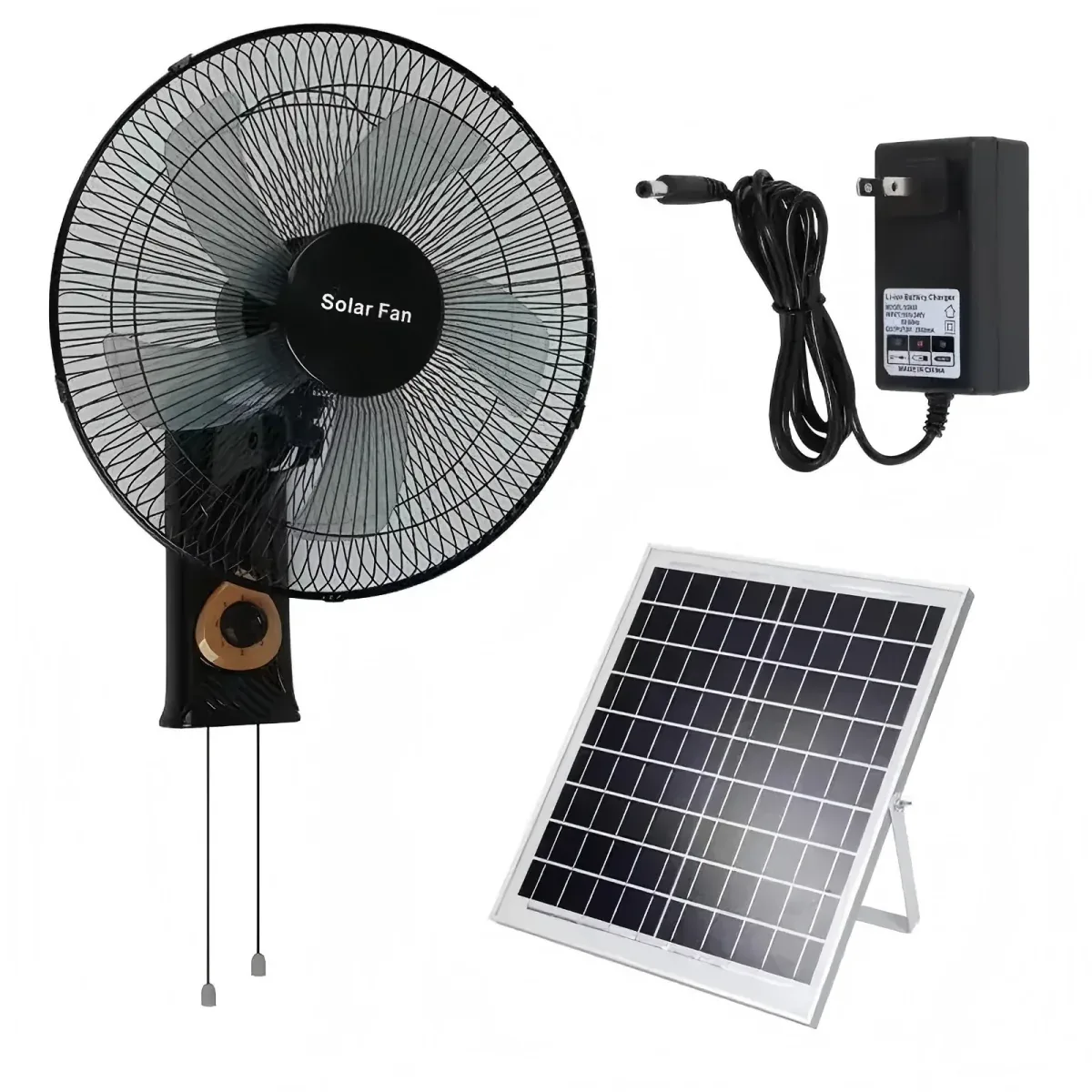
For repeated power cuts, ask how the fan will recharge between uses. A compatible solar panel is a charging source; its rated watts are not a promise of all-day input or all-night runtime. Check the expected placement, available sunlight and the model's approved alternative charging method.
Do not infer permission to connect a fan directly to a loose battery, a power station's DC port or a larger panel. A matching plug is not enough. The charger-label guide explains the specifications that must be checked.
Likewise, battery operation does not prove that a fan switches seamlessly when mains power fails. Simultaneous charging and running, automatic restart and continuous connection are separate model-specific permissions. Check charging time and operating-mode questions before planning around them.
What to compare before choosing
Write down the same requirements for each option:
- Where the fan will stand and where people need airflow.
- The useful speed and required hours during an outage.
- The full power arrangement, including any shared backup loads.
- The applicable runtime evidence and the conditions behind it.
- How the system recharges and what maintenance or approved service it needs.
Then compare the complete arrangements against those requirements. For a Farseen enquiry, use the four product formats to identify a suitable standing, wall or desk format and ask for the relevant configuration and operating instructions. Avoid assuming every model has the same charging behaviour or compatibility with an external UPS.
Farseen Editorial Team
The Farseen Editorial Team publishes practical guides and company updates about solar rechargeable fans, off-grid appliances, and product sourcing. Where an article discusses product-specific details, refer to its cited sources or contact Farseen for current information.