A solar fan with a light can be useful when the airflow position and the lighting task both fit the product. Judge the light's placement, controls and effect on battery use instead of treating a combined product as automatically useful or automatically a gimmick.
A built-in night light, separate LED bulbs and a USB power output do different jobs. The important questions are what the selected model actually includes and which functions its instructions permit you to use together.
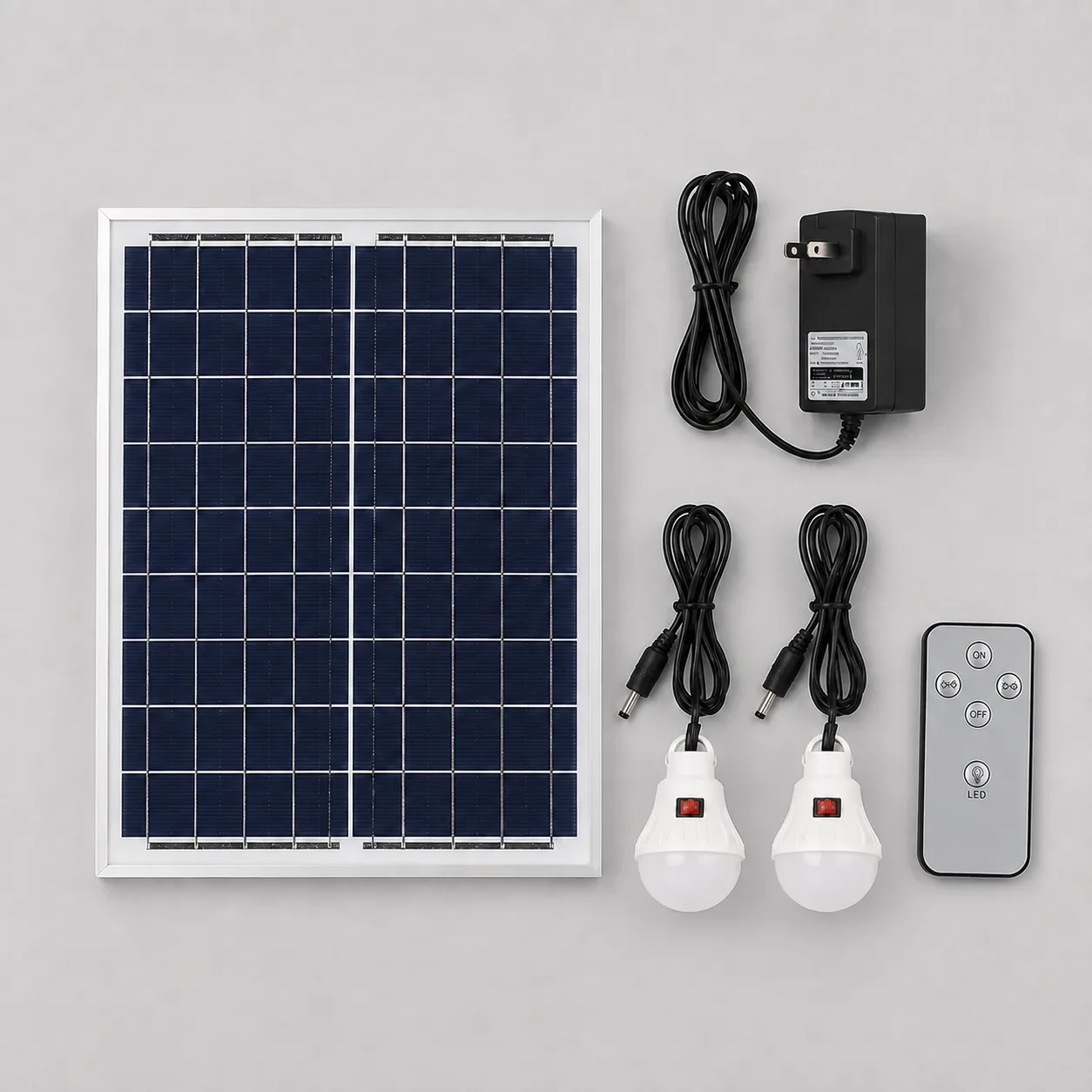
Three functions that should not be confused
A night light is a light integrated into the fan. Its location follows the fan's position. A separate bulb can offer a different placement arrangement, subject to the supplied cable and operating instructions. A USB output provides power to a compatible external device; it is not itself a lighting specification.
Look for separate information about each function. A photograph showing a bright room does not establish a lamp's lumens, useful working distance or runtime. A “power-bank function” label also does not tell you how many complete phone charges the fan can provide.
What the four Farseen models actually list
| Model | Lighting record | USB or power-bank record | Remote |
|---|---|---|---|
| 198F standing fan | Night light and two LED bulbs | 5V 1A USB output | Included |
| S600 standing fan | Night light and two LED bulbs | 5V 1A USB output | Included |
| T02 desk fan | Night light and two LED bulbs | Power-bank function; output rating needs confirmation | Not included |
| W01 wall fan | No bulbs in the standard package; a night-light feature is not established in the current record | Not established in the current record | Not included |
“Not established” means that the available specification does not confirm the feature. It is different from a confirmed package exclusion. For W01, the absence of included bulbs and a remote is confirmed; do not add a lighting or USB claim by copying another model's description.
Decide whether the light reaches the task
For a home or small shop, begin with the actual task: locating controls, lighting a nearby area or supporting a particular activity. Then check the sample in the intended arrangement.
| Check | What to observe |
|---|---|
| Light position | Whether the light reaches the area you need without moving the fan away from its useful airflow position |
| Controls | Whether the light and fan can be operated as the instructions describe |
| Cable route | Whether supplied bulb cables can be placed without strain, pinching or a trip hazard |
| Visual comfort | Whether the light is comfortable for the task, without inferring a lumen value |
| Battery priority | Whether airflow, lighting or a compatible USB device is most important during the intended period |
The current evidence does not provide verified bulb wattage, lumen output or cable lengths. It also does not establish suitability as the sole light for a shop or as a dedicated emergency-lighting system. Check the task with the actual product rather than relying on an illustration.
Do lights and USB charging reduce fan runtime?
Additional electrical loads use battery energy. When allowed to operate together from the same battery, lights or a connected USB device can shorten the available operating time compared with the fan alone under otherwise comparable conditions.
The size of that change depends on actual load, operating settings, usable battery energy and the product's controls. There is no verified percentage reduction for these four models in the current records. Confirm permitted combinations before trying them; a feature list alone does not establish that every function can run simultaneously.
For 198F and S600, the listed 5V × 1A USB rating corresponds to 5W of rated output power. That calculation is not the connected device's constant draw or a measurement of power taken from the battery. It does not establish fast charging or a guaranteed number of phone recharges.
The runtime guide shows how to include total average load in an estimate. If the required inputs are missing, use a normal-use comparison instead of assigning unverified wattages to the lights.
Check a combination in normal use
Follow the model's instructions and charge it using approved equipment. For a battery-only comparison, disconnect the charger and keep the same fan setting and similar starting conditions.
First record fan-only operation. If the instructions permit the combination you need, make a separate observation with that light or compatible USB device connected. Record the accessories, operating time and stopping condition. A device that changes its power demand during charging can make the result different on another occasion.
A USB output should not be treated as an input for charging the fan. The current product records list solar and DC charging; use the approved charging route and consult the recharge guide when planning a charging routine.
Choose the combination you will actually use
A combined fan and lighting package is useful when its placement and permitted operating modes serve a real need. If the light does not reach the task, or airflow needs to remain the battery priority, the extra function may contribute little to that arrangement.
Compare the 198F standing fan, S600 standing fan and T02 desk fan using their specific feature lists. For the W01 wall fan, use its confirmed fan, panel and charger package as the starting point. Keep model differences visible instead of treating every solar fan as the same lighting-and-power kit.

Farseen Editorial Team
The Farseen Editorial Team publishes practical guides and company updates about solar rechargeable fans, off-grid appliances, and product sourcing. Where an article discusses product-specific details, refer to its cited sources or contact Farseen for current information.